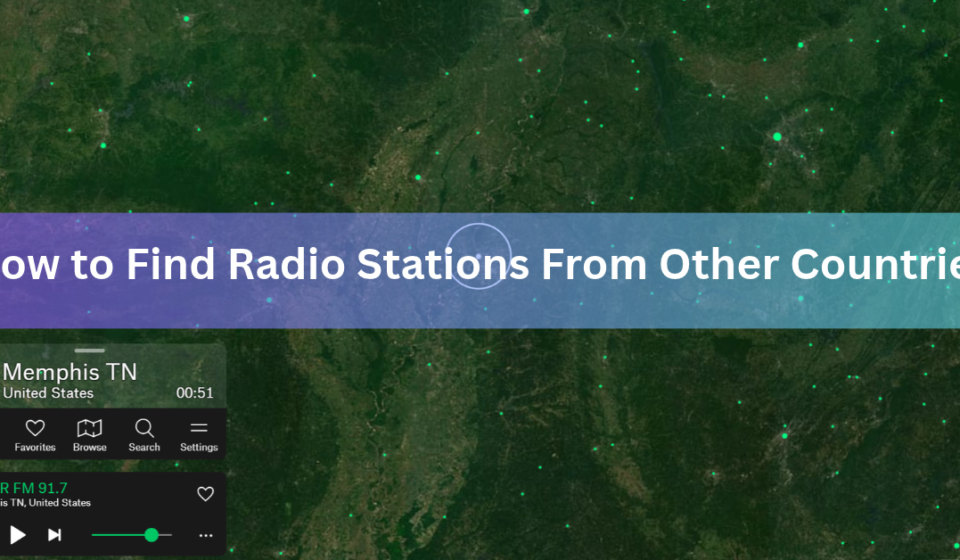

The fastest way to find radio stations from other countries is to open a free online radio map or directory, pick a country, and press play. Radio Garden shows stations as green dots on a spinning globe. Radio Browser lets you filter by country, language, and music style. Both work in a normal web browser, and neither needs an account.
Online tools are not the only route. You can also use a radio app on your phone, visit a station’s own website, ask a smart speaker, or pick up shortwave signals with a small receiver. Each way has strengths, and each has a few traps that can leave you staring at a silent player.
This guide covers all of them in plain steps. You will learn how to search by country or language, why some stations refuse to play outside their home country, and what to try when that happens.
What is the easiest way to listen to radio from another country?
Use a radio map such as Radio Garden. It places live stations on a 3D globe, so you find a country by turning the globe instead of typing a search. It is free to start, runs in a web browser, and also comes as official Android and iOS apps. The collection holds more than 40,000 stations.
Here is how to use it:
- Open Radio Garden in any browser.
- Spin the globe with your mouse or finger until you reach the country you want.
- Zoom in on a city. Green dots mark the stations.
- Click or tap a dot to start listening. The other stations in that place appear in a list, so you can switch with one click.
- Use the search box if you already know a station name or a city.
Some parts of the world look busier than others. A station only appears on the map when it has a working online stream, so countries with lots of internet radio show more dots. A quiet area can simply mean the local stations do not stream online.
Once you find a city you like, stay a while. Large cities usually have several stations with different styles, from news talk to local pop to community broadcasts, and nearby towns often have their own. Hop between dots for ten minutes and you will hear how one place sounds from several angles. When a station hooks you, write down its name so you can search for it next time.
Station details are not always perfect. When a station matters to you, use the link on its card to visit the station’s own website and check the name, city, and schedule.
How do you search for radio stations by country and language?
Use a directory with filters. Radio Browser is a community-run database of internet radio stations. Its search lets you narrow results by country, language, and tag, such as jazz or news, and you can sort by votes to see what other listeners like. Tens of thousands of stations are listed, and volunteers keep adding and fixing entries.
A typical search goes like this. Pick the country first. Add a language if you want local speech instead of imported pop. Then pick a tag, or leave it open and browse. Press play on a result. If it fails, move to the next one. Directories point to streams that stations can switch off at any time, so a few dead links are normal.
Many radio apps work the same way but start with stations from your own country. Look for a country or location filter near the search bar, often labeled “All countries,” and switch it before you search.
Some tools you may already have include radio. The Vivaldi browser has a radio feature that groups stations by place: your own country first, then your continent, then the rest of the world. You can also type a country name into its search field. Music apps are less predictable. Deezer, for example, offers radio only to listeners in a short list of countries, so check what your own app supports before you spend time looking.
How do you find stations from one specific country?
Start with a city, not just a country. Local stations carry the real flavor of a place, and large cities usually have dozens. On a radio map, zoom in on the city. In a directory, filter by country and scroll through the results.
Say you want radio from Brazil. In a directory, set the country to Brazil and the language to Portuguese. Add the tag news if you want talk, or pick a music style such as samba or pop. Play the top few results by votes and keep the ones that work. Then check where each station is based, since that tells you which cities to explore next on the map.
The national public broadcaster is a good first stop. The BBC in the UK and Radio France in France both run several national stations, and their websites list each one with a live player where one is available. Most countries have something similar, and a search for the country name plus “public radio” usually finds it.
Search engines help too. Use the local phrase for live radio plus a city name. Try “radio en vivo” for Spanish, “radio en direct” for French, or “rádio ao vivo” for Portuguese. In German, try “Radio live.” These phrases bring up station pages that English searches miss.
Language matters as much as location. If you want to practice Spanish, search for stations in Spain, Mexico, or Argentina, and pick talk or news shows. The speaking is clear and the topics repeat, which makes words easier to catch. Pop stations often sound alike from country to country. The differences show up in talk shows, local music, and call-in programs.
Which stations are worth trying first?
A good first set is the international services of national broadcasters. They are made for listeners abroad, so country blocks are less likely than on small local stations. Each one has its own website with a live player. Search the name plus “listen live” to find it.
| Station | Based in | Languages | What you hear |
| BBC World Service | London, UK | English news, plus many other language services | Global news and current affairs, including Newsday and Newshour |
| NHK World Radio Japan | Tokyo, Japan | About 20, including English, Arabic, Hindi, and Spanish | News and programs about Japan and Asia |
| RFI | Paris, France | French and 17 other languages, including Swahili, Hausa, and Portuguese | World news, with offices in Dakar, Lagos, and Nairobi |
| KBS World Radio | Seoul, South Korea | About 11, including English, Spanish, and Arabic | Korean news and K-pop programs |
| RNZ Pacific | Wellington, New Zealand | English, with news bulletins in selected Pacific languages | Pacific news, with a live audio feed |
Give each station about 30 seconds. Check that the stream starts, that the language is the one you want, and that the voices sound live and not like a loop. Keep the ones that pass and drop the rest. Schedules and language lists change, so confirm the details on each station’s own site.
Which way of finding foreign radio is best?
It depends on what you want to do. This table shows where each method works best.
| Method | Best for | Cost | What you need |
| Radio map | Wandering the world by place | Free to start | Browser or app |
| Directory | Filtering by country, language, and genre | Free | Browser |
| Station website | One station you already know | Free | Browser |
| Radio app | Saving favorites and listening on the go | Free to start | Phone or tablet |
| Shortwave radio | Listening with no internet | Price of a receiver | Receiver and antenna |
If you only want one station, go straight to its website. If you want to wander, use a map. If you have a clear goal, such as Arabic news or Brazilian jazz, use a directory with filters and let it do the narrowing.
How do you find radio stations from other countries on a phone, smart speaker, or car?
On a phone, install an app and save your favorite stations so you can reach them in one tap. Radio Garden’s apps can keep playing with the screen off, which suits long listening sessions.
Smart speakers can play radio by voice, usually through a radio service that the speaker supports. Say the station name clearly. If the speaker cannot find it, try the city name or add the station through the service’s own app. A phone connected to your car by Bluetooth or cable will play any of these apps through the car speakers.
Streams use mobile data. At 128 kbps, a common quality for music streams, one hour of listening uses about 58 MB. At 64 kbps it uses about half of that. On a limited plan, use Wi-Fi, or choose a lower-quality stream if the app offers one.
How do you reach a station through its own website?
Every station has a home on the web. Search for the station name plus “listen live.” Most official sites put a play button right on the home page. Going to the source has two benefits. You get the correct schedule, and you skip any middle service that may have dropped the stream. Station sites also list the city, the language, and the names of shows, which makes them the best place to confirm what you found on a map.
Some stations share a direct stream address, which is a web link that a media player can open. These often end in .mp3 or .aac, or in a playlist file such as .m3u or .pls. Not every station shares one. When you have one, paste it into a media player such as VLC using its option to open a network stream.
Why does a station say it is not available in your country?
The station is blocking listeners outside its home country, which is called geoblocking. It usually comes down to music licensing. Copyright rules and licence deals differ from country to country, so a station that may stream in one place may not be allowed to stream in another. Some stations also stop other apps and directories from carrying their stream.
Licensing has changed what listeners can hear before. After a UK court ruling, TuneIn began hiding most non-UK stations from UK listeners in 2020, with a few exceptions. The same kind of rule can apply to any app in any country, which is why a station can play on one service and fail on another.
Try these steps in order:
- Pick another station. Large cities have many, and only some are blocked.
- Open the station’s own website. Sometimes the official page plays when a directory link fails. If you have the direct stream address, a media player such as VLC can sometimes play it when the page will not.
- Use a different app or directory. Each one carries a different set of streams.
- Try a VPN as a last step. A VPN makes your connection look like it comes from another country, which is how many listeners reach blocked streams. Read the station’s terms first, and check the rules where you live, since some countries limit VPN use.
Tip: If a station gives no error and simply stays silent, the stream may be offline. Wait a few minutes, then try again or pick a neighbor on the list.
Can you hear foreign radio without the internet?
Yes. Shortwave radio carries broadcasts across borders with no internet at all. Shortwave uses frequencies from 3 to 30 MHz, and its signals bounce off a high layer of the atmosphere called the ionosphere. That bounce lets a signal travel thousands of miles. FM and AM, by comparison, reach only local or regional areas.
You need a shortwave receiver, which is a radio that can tune those frequencies. Portable models are sold in electronics stores and online. A longer wire or an outdoor antenna helps with weak signals. A software-defined radio (SDR) is a small device that lets a computer pick up shortwave instead.
For a first receiver, look for a portable radio that covers shortwave along with AM and FM, and that has a telescopic antenna and a jack for an outside antenna. A digital display makes it far easier to land on an exact frequency than a plain dial. Prices vary widely, so start with a modest set before you spend more.
Reception changes with the time of day and the season, because the ionosphere changes. Dawn and dusk are good times to try. Signals often carry farther at night. Tune across the band slowly and wait for a station to say its name, which is how you know what you have found.
RNZ Pacific, which used to be called Radio New Zealand International, uses shortwave to reach the Pacific, and its signal can sometimes be heard as far away as Japan, North America, the Middle East, and Europe. WRMI, which stands for World Radio Missions and is based in Okeechobee, Florida, is another shortwave broadcaster. Broadcasters publish their frequencies and schedules on their websites, so look up the time and frequency before you tune.
Shortwave is a hobby with a learning curve. Expect static, fading, and the odd overlap between two stations. It also has a practical side. A battery-powered receiver still works when the power or the internet goes down.
How can you get more out of foreign radio?
Check the time zone before you tune in. A station that is lively at noon in its own city may play automated music or a replay at 3 a.m. there. Match your listening to the station’s daytime or evening hours and you will hear live presenters more often.
Use talk radio to learn a language. News bulletins are short and clear, and they repeat the same words, so you can follow along even with a small vocabulary. Many international stations also publish podcasts of their best shows, which you can pause and replay.
A few habits make the hobby stick:
• Save favorites in your app so good finds do not get lost.
• Write down the station name and city when you hear something you like.
• Try one new country each week, then try a new genre inside it.
• Listen on Wi-Fi when you can, to avoid dropouts and data costs.
What should you do when a station will not play?
Most playback problems have simple causes. The stream may be down. Stations change servers and stop streams without notice, and directories take time to catch up. Pick another station in the same area and come back later.
Your browser may also be blocking sound or scripts. Click the play button again, check that the tab is not muted, and make sure JavaScript is turned on, since radio maps need it to work. A weak connection causes constant buffering, so move closer to your router or switch to a stronger network.
If a station is listed with the wrong name or city, go to its own website to confirm what it is. Directory details are entered by many different people and are not always right.
Frequently asked questions
Is it legal to listen to foreign radio stations online?
Listening to a public stream is generally fine, because stations choose to broadcast online. Using a VPN to get around a block may break a station’s terms, and some countries restrict VPNs, so check the rules where you live.
What is the best free app for radio from other countries?
Radio Garden is a strong first pick because it is free to start and lets you explore by place. Radio Browser works better when you want to filter by language, country, or genre. Try both and keep the one you like.
Can I pick up foreign stations on FM or AM?
Not usually. FM and AM signals reach local or regional areas only. For long-distance listening with no internet, use shortwave, which bounces signals off the ionosphere so they can travel thousands of miles.
Do I need a VPN to listen to radio from another country?
No, most stations play fine without one. A VPN only helps when a station blocks listeners outside its country. Try another station, the station’s own website, or a different app before you reach for a VPN.
How do I find radio stations in a specific language?
Filter by language in a directory such as Radio Browser, or search the local phrase for live radio plus a city name. Talk and news stations make a language easiest to hear because the speech is clear.
Conclusion
To find radio stations from other countries, open a radio map like Radio Garden or a filtered directory like Radio Browser, choose a country or language, and press play. Switch stations if one is blocked or offline, and try the station’s own website next. Use a VPN only as a last step, and consider shortwave if you want radio without the internet. A good result is a working live stream from a place you chose.
Recommended Articles:
InterWorldRadio Rhythms of Our Interconnected World
Reporting Global News InterWorldRadio: The Complete Guide to Modern International Journalism


[…] How to Find Radio Stations From Other Countries […]