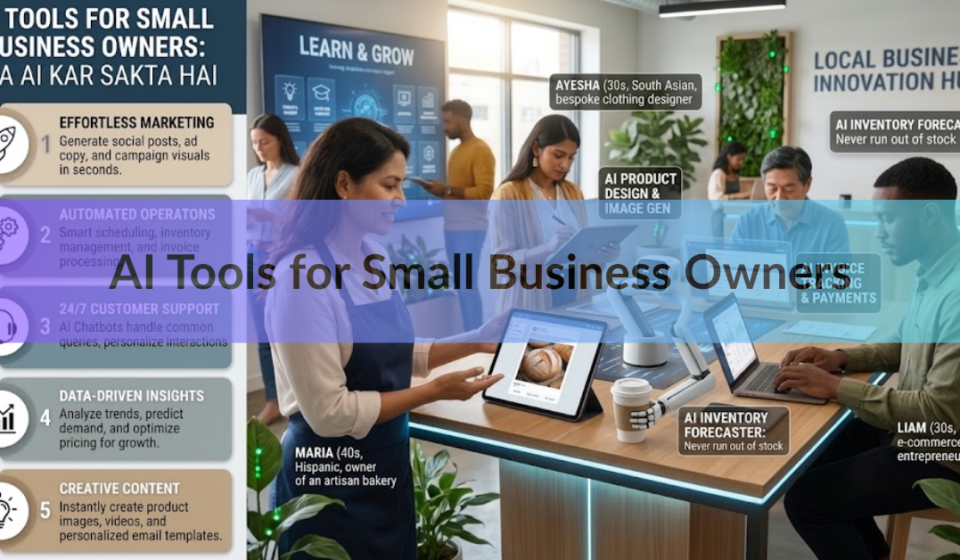

AI can now do much of the routine work that fills a small business owner’s week. It can draft emails and ads, sort your bookkeeping, answer common customer questions, write up meeting notes, and pass data between your apps on its own. What it can’t do is run your business, know your customers, or be trusted without a quick human check.
This guide covers what AI does well right now, which tools do it, what they cost, where they fall short, and how to start without putting customer data at risk. If you do only one thing after reading, pick one task you repeat every week and try an AI tool on it for a month.
What can AI do for a small business today?
Today’s AI is good at work built from words, patterns, and repeat steps. Think of it as a fast assistant that never gets tired but sometimes gets things wrong. Six jobs stand out.

| Job | What AI does | Tools that do it |
| Writing | Drafts emails, product descriptions, social posts, and ad copy from a short prompt | ChatGPT, Gemini, Microsoft Copilot |
| Bookkeeping | Sorts transactions, matches payments to invoices, and flags odd entries | QuickBooks Online |
| Getting paid | Writes overdue-invoice reminders and tracks who has paid | QuickBooks Online |
| Customer questions | Answers common questions on your site at any hour | Website chatbots |
| Meetings | Takes notes and summarizes calls | Gemini in Google Meet, Copilot in Teams |
| Busywork between apps | Moves data from one app to another when something happens | Zapier |
Most of these tools sit inside software you may already pay for. That makes them easier to try than a brand-new system.
How many small businesses use AI?
The answer depends on who was asked and what counts as “use.” The U.S. Census Bureau tracks AI across employer businesses of every size. Its data from December 2025 to May 2026 show use hovering between 17 and 20 percent, with 19.8 percent in the latest reading. Among firms with four or fewer employees, fewer than 20 percent used it.
Private surveys of owners land much higher. A Thryv survey in April 2026 found 66 percent, a Goldman Sachs survey of its small business program found 76 percent, and an SBE Council survey of employers found 82 percent. The gap comes from the question and the sample. The Census asks about the past two weeks across a nationally representative group. The private surveys reached owners through business programs and research panels.
One number matters more than any of these. In the Goldman Sachs survey, only 14 percent of owners said AI was fully built into how their business runs. Most owners use it for a few tasks, and that is a fine place to be.
Which AI tools help with writing and marketing?
Start with a general AI assistant. You type what you need in plain words, and it writes a first draft. Good first jobs include a product description, a reply to an unhappy customer, a week of social posts, a job ad, or a newsletter.
The big three are ChatGPT, Google’s Gemini, and Microsoft Copilot. The best pick is usually the one built into tools you already use. If your team runs on Google Workspace, Gemini comes with the plan. Business Starter includes the assistant in Gmail and the Gemini chat app, and Business Standard (about $14 per user per month on an annual plan) adds help in Docs and Meet. If you run Microsoft 365, Copilot Business adds the assistant inside Word, Excel, PowerPoint, Outlook, and Teams for about $21 per user per month. It is sold to organizations of up to 300 users.
Writing tools only help if you edit. A raw draft sounds generic until you add your own prices, your own stories, and the way you talk to customers. Tell the tool who the customer is, what you sell, what tone you want, and paste in one example of writing you like. Then read every line before it goes out.
Email platforms such as Mailchimp can suggest the best time to send and recommend content. A grammar checker such as Grammarly is a handy second pass on anything you publish, including text an AI wrote.
Tip: Save the prompts that work. Five or six reusable prompts, such as a reply to a review, a product description, and a weekly post, turn AI from an experiment into a habit.
Which AI tools handle bookkeeping and getting paid?
This is where AI saves many owners the most pain. QuickBooks Online has built AI into the product under the name Intuit Assist. It can turn a forwarded customer email, or a photo of a handwritten note, into a draft estimate or invoice for you to review and send. It matches payments to invoices, and it drafts personal reminders when an invoice goes overdue.
Since mid-2025 QuickBooks also has AI agents. An agent is a program that carries out a set of steps on its own instead of only answering a question. The Accounting agent sorts transactions and helps reconcile your books, which means checking that your records match your bank. The Payments agent tracks invoices, predicts late payments, and sends reminders. Both come with the Essentials plan and above.
Check the work. An AI that files a transaction under the wrong category can quietly throw off your tax numbers. A ten-minute weekly look at what it sorted, or a monthly review with your bookkeeper, catches mistakes early. If you use other accounting software, ask the provider what AI features it offers before you switch.
Can AI answer customer questions for me?
Yes, for common questions. A chatbot on your website can answer questions about hours, shipping, pricing, and returns at any hour, and pass harder cases to you. It works best when you load it with your real policies and tell it to say “I’m not sure, let me get a person” instead of guessing.
The risk is real. In February 2024, a British Columbia tribunal ordered Air Canada to pay a customer after its website chatbot gave wrong information about bereavement fares. The tribunal rejected the idea that the chatbot was separate from the company. It held the airline responsible for everything on its website, whether it came from a static page or a chatbot.
The lesson for a small shop is simple: you answer for what your chatbot says. Keep its job narrow, give it your actual policies, and test it with tricky questions before a customer does.
What about meetings, scheduling, and busywork?
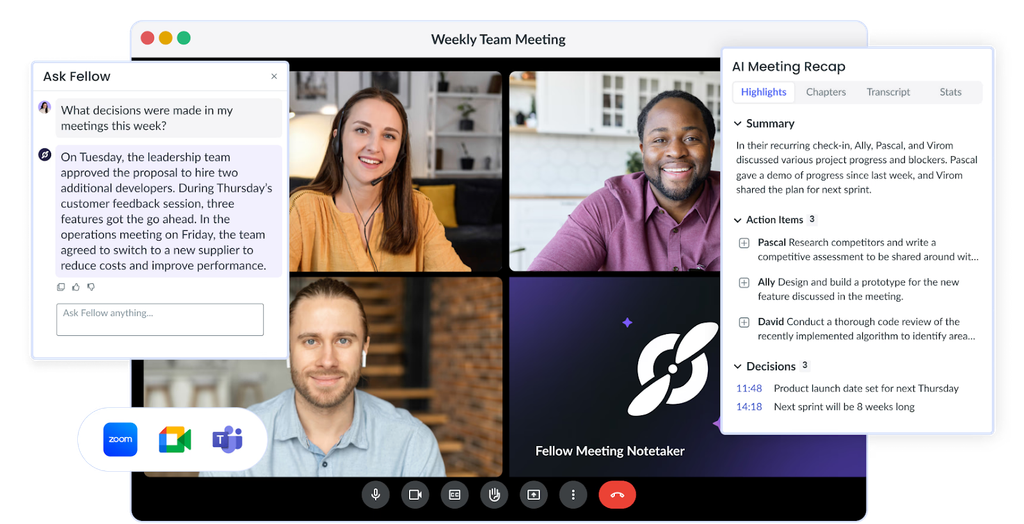
AI meeting notes are one of the easiest wins. Gemini in Google Meet and Copilot in Teams can take notes and summarize a call, so nobody has to type while talking. You still skim the summary and fix anything that’s off, but it beats starting from a blank page.
Workflow tools such as Zapier connect your apps without code. For example, when a customer fills in a form, one app can add them to your email list, create a task for you, and send a welcome note. You set it up once, and it saves a small step many times a week.
What does AI cost for a small business?
Many AI tools cost less than they used to because they now come bundled into software plans. Here is what the main options look like at list price. Prices change often, so check the vendor’s page before you buy.
| Tool | What you get | Typical price |
| Gemini in Google Workspace | Writing help in Gmail and Docs, meeting notes in Meet, and a chat assistant | Included in plans from about $7 (Starter) to $14 (Standard) per user per month, billed yearly |
| Microsoft 365 Copilot Business | Copilot in Word, Excel, PowerPoint, Outlook, and Teams | About $21 per user per month on a yearly plan, added to a Microsoft 365 Business plan |
| QuickBooks Online AI agents | Bookkeeping help and payment follow-ups | Included from the Essentials plan up |
| Chat assistants (ChatGPT, the Gemini app) | Writing, research, and brainstorming | Free versions exist; paid plans add features and limits |
In an April 2026 survey of 561 owners, 53 percent spent at least $100 a month on AI tools. You don’t need to start there. Begin with the free version or the AI already inside your current software, and pay for more only when a tool has saved you real hours.
What can’t AI do well yet?
AI makes things up. It can write a confident sentence that is wrong, including prices, dates, laws, and quotes. It doesn’t know your customers, your local market, or your history unless you tell it, and it has no sense of what matters most to your business.
Keep a person in charge of these jobs:
• Tax and legal filings
• Prices, refunds, and promises made to customers
• Hiring, firing, and credit decisions
• Anything that sounds like medical, legal, or safety advice
AI is a strong first-draft machine and a weak final decision maker. Use it for the first and keep the second for yourself.
How do you use AI without exposing customer data?
Treat a free chat tool like a public place. Anything typed into a personal or free account may be stored or used in ways you can’t control, and you can’t manage the privacy settings on accounts your employees open on their own. A few simple rules cover most of the risk.

• Keep Social Security numbers, card numbers, health details, and passwords out of AI tools unless the vendor offers clear data protection terms for business customers.
• Remove names and details before you paste a customer email or spreadsheet. Swap “Maria Lopez, 14 Elm Street” for “Customer A.”
• Use business plans for work tasks, and read the vendor’s privacy policy. Look for how long your data is kept and whether it is used to train the AI.
• Write a one-page rule your team can follow: which tools are approved and what data stays out.
• Talk to a lawyer before using AI to screen job applicants or decide who gets credit.
How do you get started with AI in your business?
You don’t need a big plan. Census data from May 2026 show that fewer than one in five of the smallest firms use AI at all, so starting now puts you well within the crowd. Here is a simple path.
- Pick one task. Choose something you repeat each week that doesn’t involve sensitive data, such as replies to common questions or product descriptions.
- Check what you already own. Look in your email suite, accounting software, and website platform for AI features before you buy anything new.
- Test on a sample. Run the tool on five real examples and compare the results with what you would have done by hand.
- Set one rule. Decide who checks the output before it reaches a customer.
- Time it. After a month, count the hours saved and the errors you caught.
- Add a second task only when the first one works.
Frequently asked questions
What is the best AI tool for a small business owner just starting out?
A general assistant such as ChatGPT, Gemini, or Copilot, ideally the one already inside your email suite. Google Workspace includes Gemini, and Microsoft 365 users can add Copilot Business. Start with one writing task and expand from there.
Is AI free for small businesses?
Partly. Many chat assistants have free versions, and Gemini comes bundled in Google Workspace plans. Microsoft’s full Copilot Business costs about $21 per user per month. Free versions suit tests, while paid business plans suit work with customer data.
Will AI replace my employees?
Census Bureau data from 2025 show that in most cases, adopting AI or robotics had no effect on worker numbers or skill level. Today’s tools handle tasks, such as drafting or sorting, not whole jobs.
Is it safe to put customer information into AI tools?
Not into free or personal accounts. Remove names and sensitive details first, use a business plan, and read the vendor’s privacy policy. Never enter card numbers, Social Security numbers, or health details without clear business data terms.
What should I never leave to AI without a human check?
Tax and legal filings, prices, refund promises, hiring and credit decisions, and any safety advice. A wrong answer in these areas costs real money, and the business is responsible for what its AI tells customers.
Conclusion
AI can write first drafts, sort your books, remind customers to pay, answer routine questions, and summarize meetings today. It can’t replace your judgment. Pick one repeat task, try a tool already inside your email or accounting software, and check every result before a customer sees it. Keep private data out of free tools. A good result after one month is simple: a few hours saved, no costly mistakes, and one more task you feel ready to hand over.
Recommended Articles:
Interworldradio Blog Submission Guidelines: How to Submit a Guest Post
Can I Wash My Car With Dawn Dish Soap? Yes, but Only in These Cases
Is Zanus AI Good for Business? Who It Fits and Who Should Skip It
Posts on the Blog InterWorldRadio – A Complete Guide to Content, Topics, and Global Perspectives!
How to Market a Small Business on Social Media: A Practical Guide


[…] AI Tools for Small Business Owners: What AI Can Do Today […]